Muscle MateBack to the main page日本語

Walk & Run

Lift. Walk. Run.
One workout log.

Keep your walks and runs alongside your strength workouts.
Log distance, time and average speed on the treadmill or outdoors in Muscle Mate.

Treadmill scanning is free tooNo ads

Download on the App StoreGet it on Google Play

Free to use · No ads · No account
See the real screens ↓
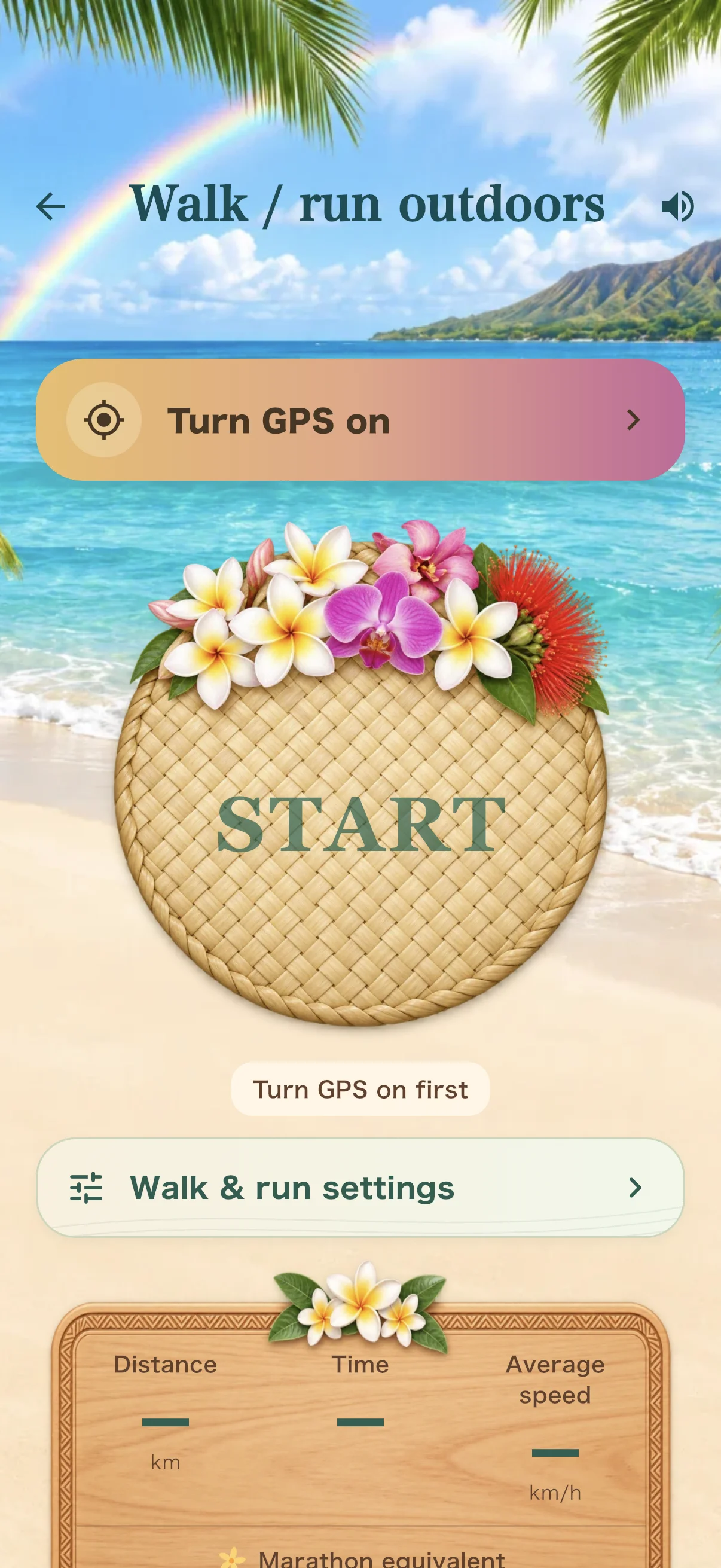
Outdoor walk or run screen showing distance, time and average speed. Values are demo inputs.

Treadmill display scanning

Read your numbers after a run
with the camera.

Scan the treadmill display.
Review the distance and time, then enter and log them quickly.

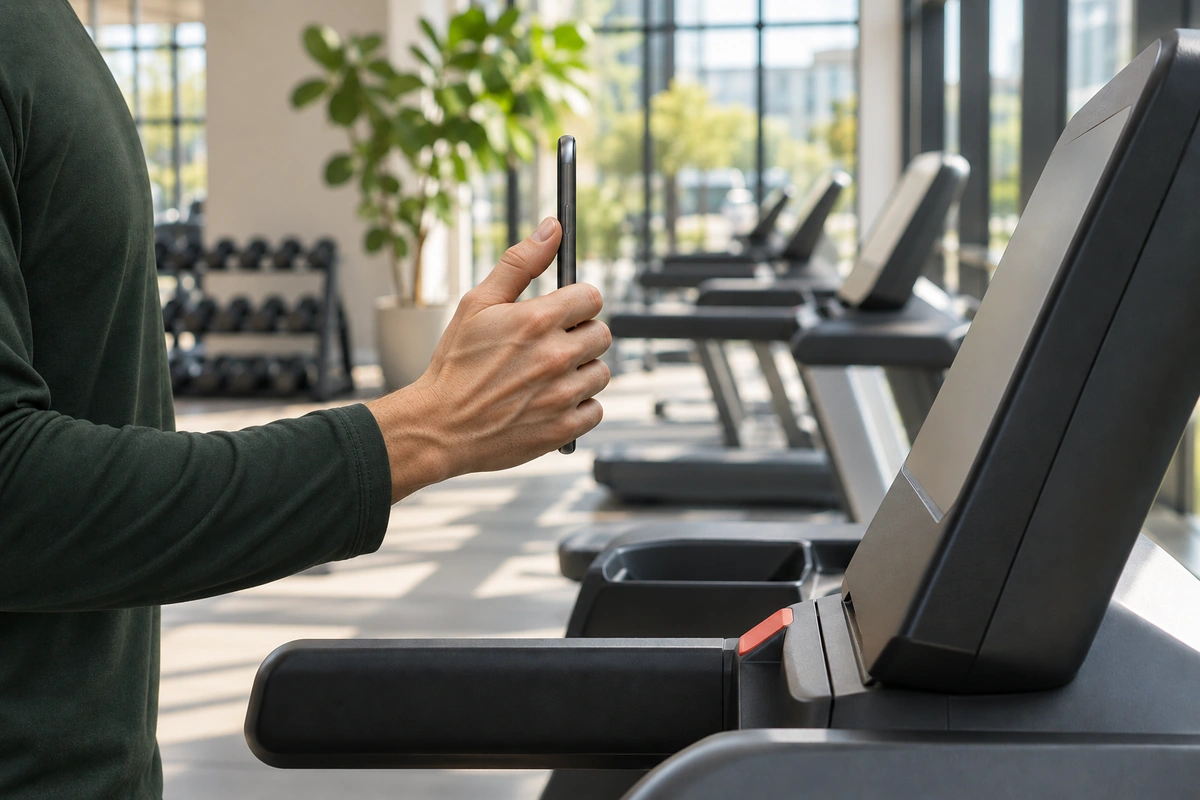
Illustrative image: a side view of a hand pointing a phone's camera at the display of a stopped treadmill.
Illustrative image
01 Scan the display02 Review & edit the numbers03 Log

Treadmill scanning and basic logging are both free.

Indoors and outdoors

Log it wherever you train.

01 | Indoors

Your indoor session,
on one screen.

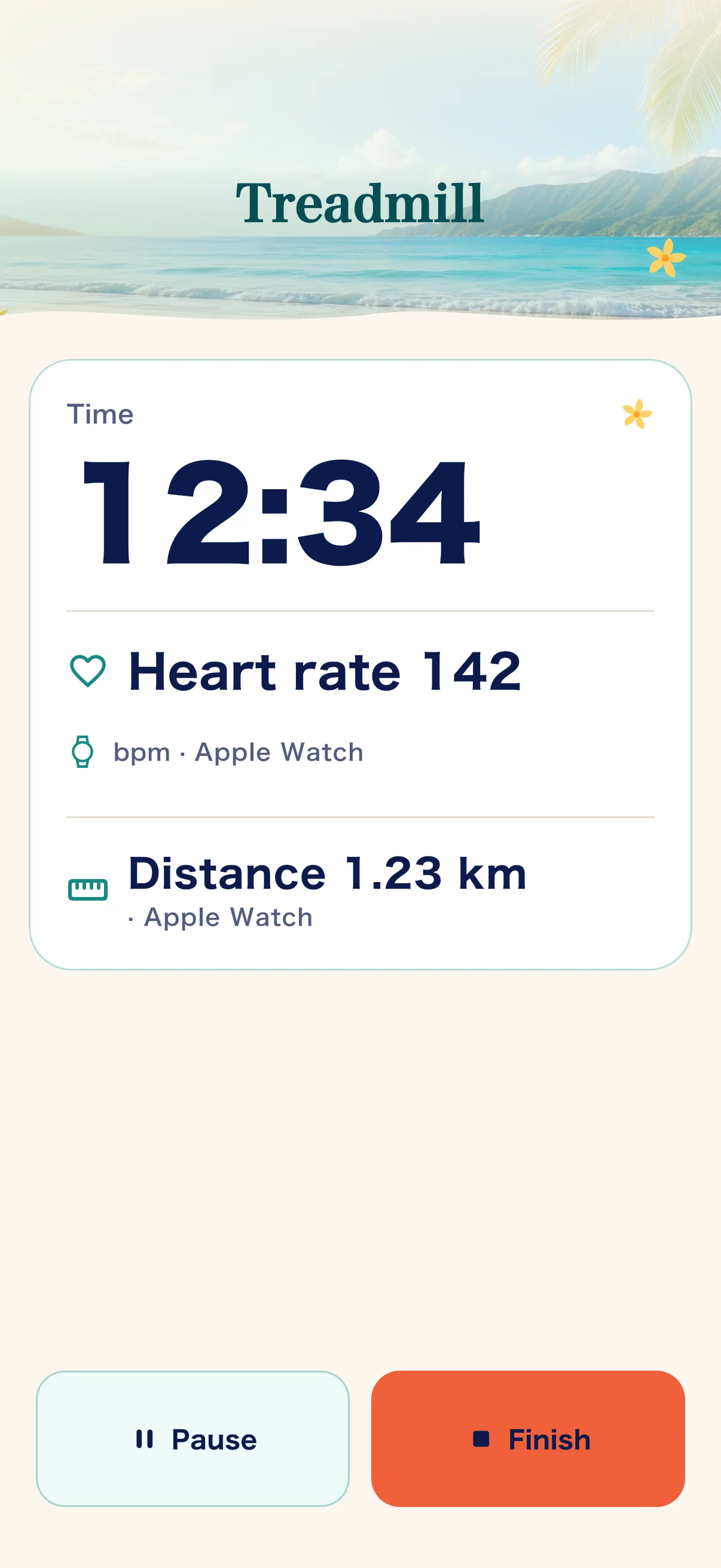
Scan the treadmill display to fill in distance and time quickly. Review the numbers and save. With Apple Watch connected, your heart rate and time are shown large while you move. Scanning also ends the indoor session on your Apple Watch automatically.

Treadmill session screen showing time, heart rate and distance. Values are demo inputs.

02 | Outdoors

Outdoor walks and runs,
recorded with GPS.

Measure distance and time outdoors and check your average speed. It all goes in the same app as your strength workouts.

Outdoor session screen. The GPS position is simulated for the capture. Values are demo inputs.

Location permission is required. Using GPS continuously uses battery power.

Three ways to start

Pick by place or by goal.

Choose today's session.

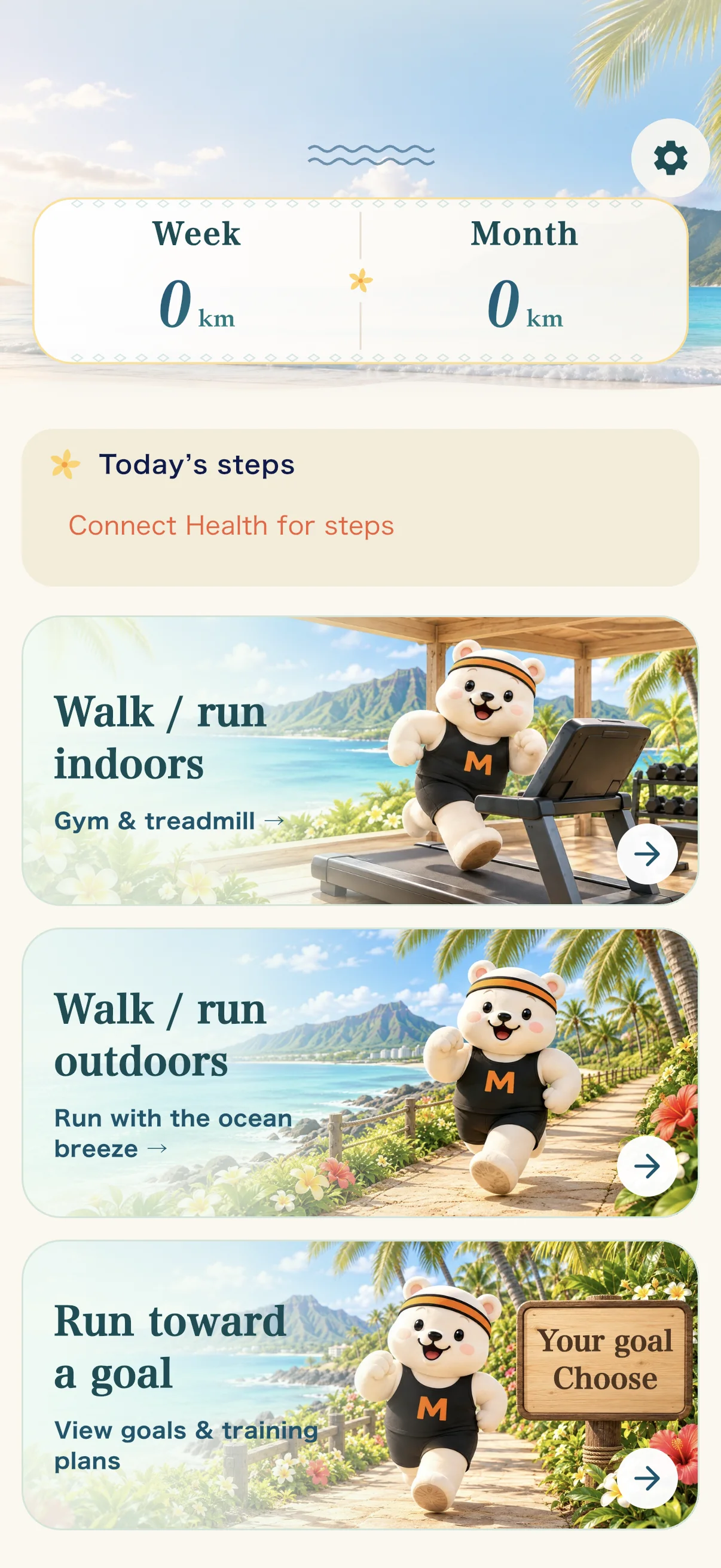
Start indoors, outdoors, or toward a goal. This week's distance, this month's distance and today's steps are on the same screen.

Cardio top screen with three options: Walk / run indoors, Walk / run outdoors and Run toward a goal. Values are demo inputs.

Run toward a goal.

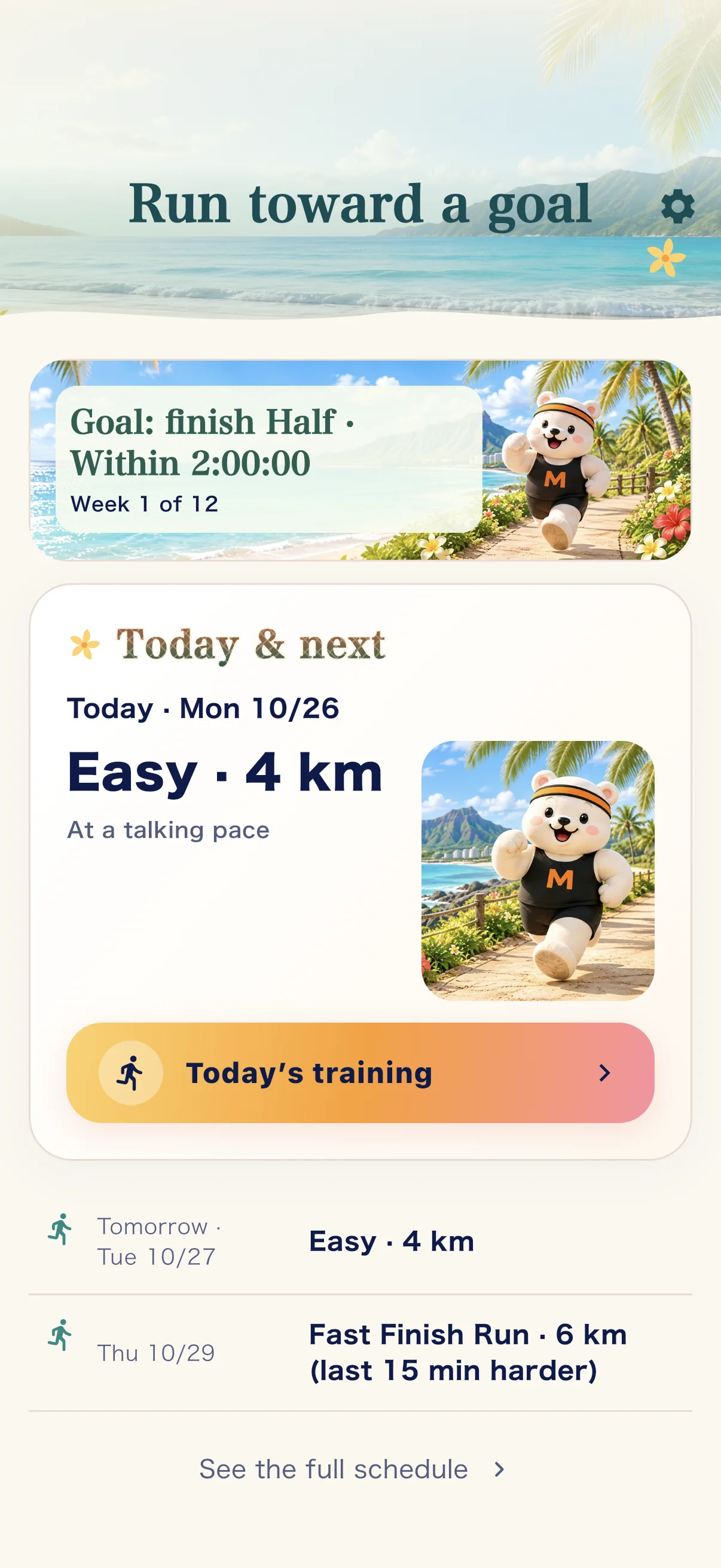
Run toward a goal builds a training schedule, from today on, toward your target distance or race. You can also choose an 80/20 option (mostly easy running, with some hard running).

Run toward a goal screen showing the training schedule from today. Values are demo inputs.

How logging works

From today's log to your next step.

01 / Choose

Treadmill or outdoors. Start with where you're training.

02 / Log

Enter distance and time, or measure them outdoors. Go at a pace that suits you.

03 / Look back

Check today's distance, time and average speed, and save the record.

Before you start

Is Walk & Run free?

Yes. Walk & Run logging is free, including treadmill display scanning, outdoor GPS, heart rate, Run toward a goal and Apple Watch support. The free plan lets you view the last 30 days of history and the last four weeks of analysis. Records are not deleted just because they fall outside that viewing window.

What if the camera cannot read the display?

You can enter distance and time manually. Reading depends on the display and shooting conditions, so review the values before saving.

Is this the same as machine nameplate scanning?

They serve different purposes. Machine nameplate scanning finds an exercise and its guide. Treadmill display scanning helps enter workout numbers.

Can I use it without an Apple Watch?

Yes. Scanning, manual entry and outdoor GPS recording all work with just your phone. Apple Watch support is on the iPhone version only (watchOS 10 or later). Showing your heart rate needs a connected device and your permission.

Can it show my heart rate?

Yes. On iPhone, your heart rate is shown and recorded while you run, from a chest strap or other heart rate monitor, from Apple Watch or from Apple Health. On Android, it comes from a heart rate monitor or Health Connect.

What does connecting to Health do?

It is optional. On iPhone, Muscle Mate reads today's steps, your walking and running workouts and your heart rate from Apple Health, and writes only the workouts you record on Apple Watch. On Android, it reads from Health Connect and does not write to it. Health data is read only with your permission and used on your device.

Walk & Run is in both the iPhone and Android versions. Screens are from the iPhone version. Values shown are demo inputs.

Why is it free? Read the developer's story ↓

Download on the App StoreGet it on Google Play

iOS and Android / Free to use · No ads · No account