

While you dig through notes or memory, your focus for the next set is already gone.

Muscle Mate | Free gym workout log, no ads
New machine?Just scan it.
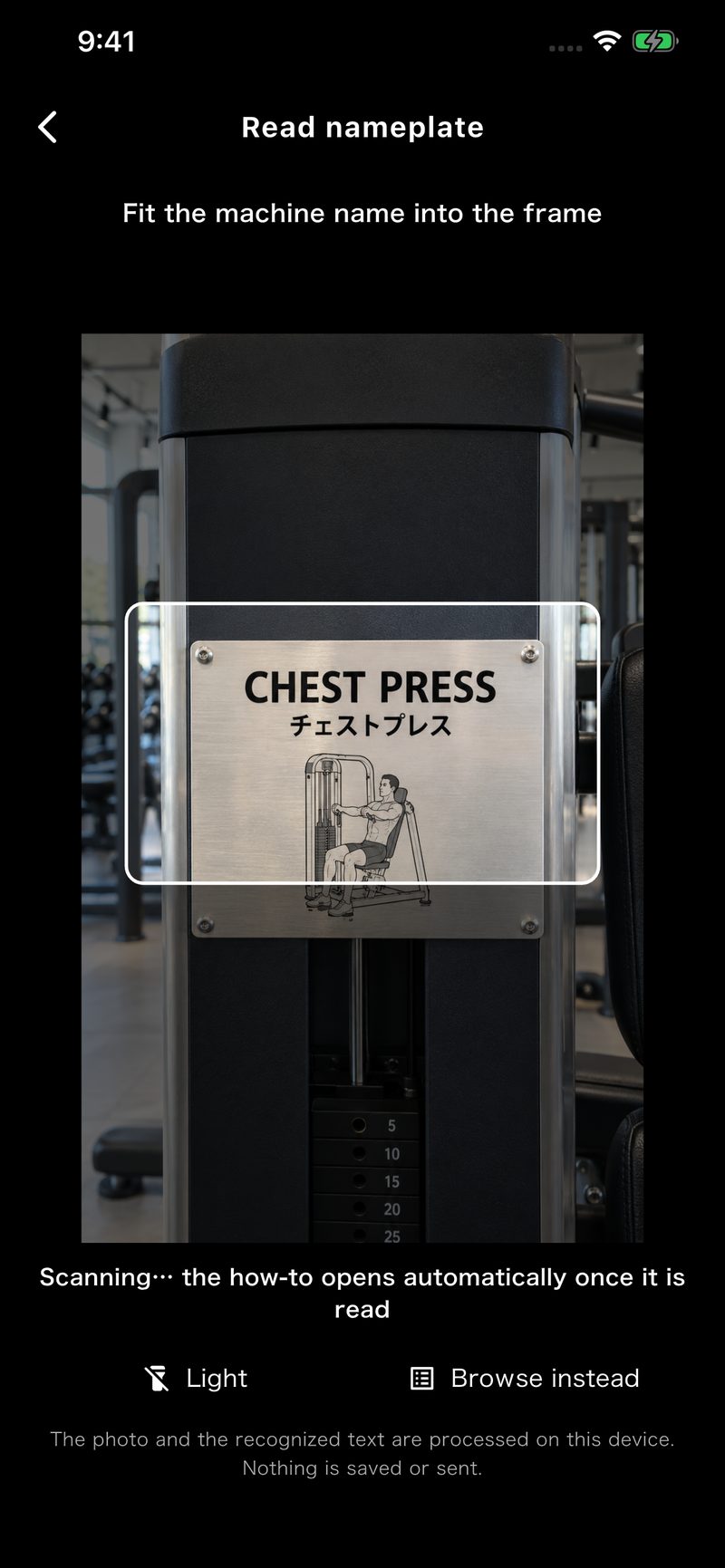
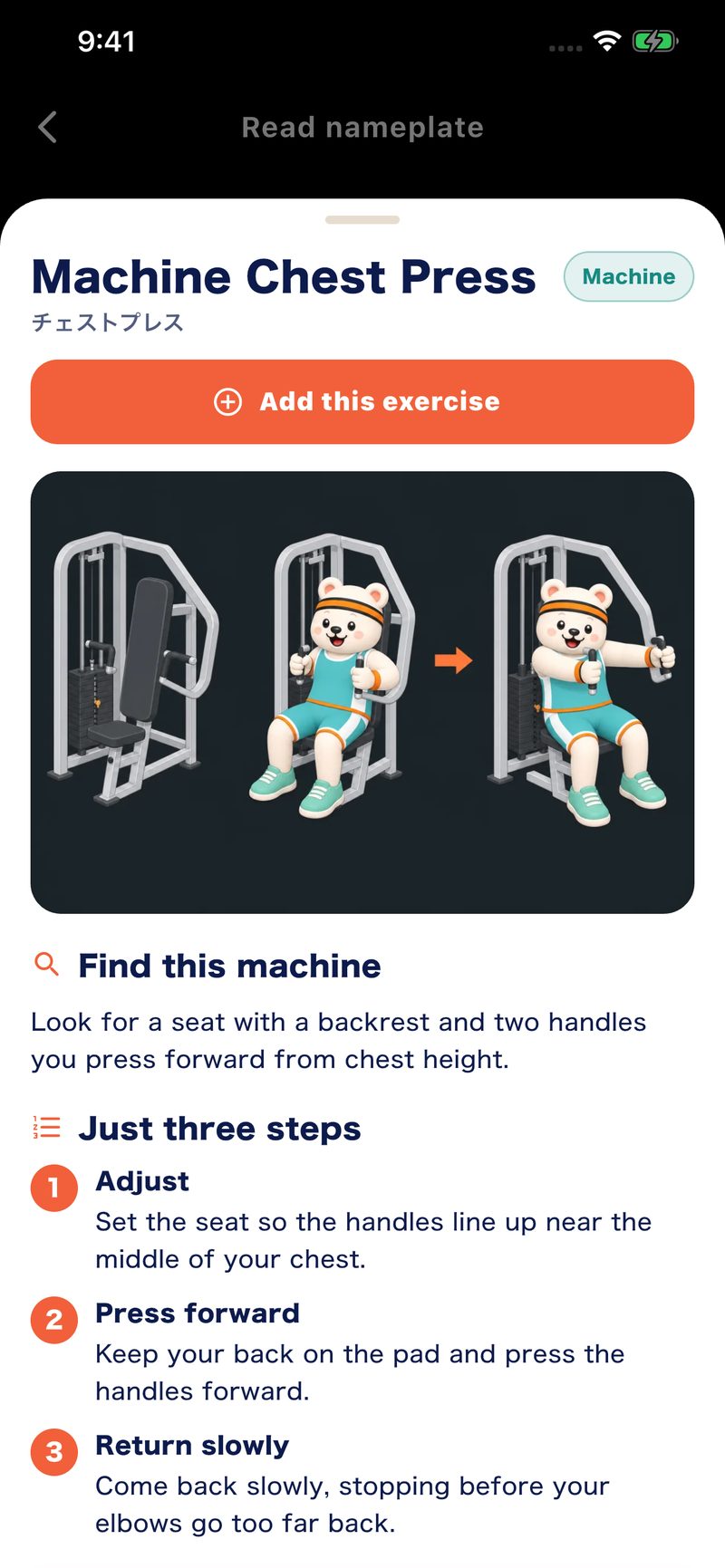
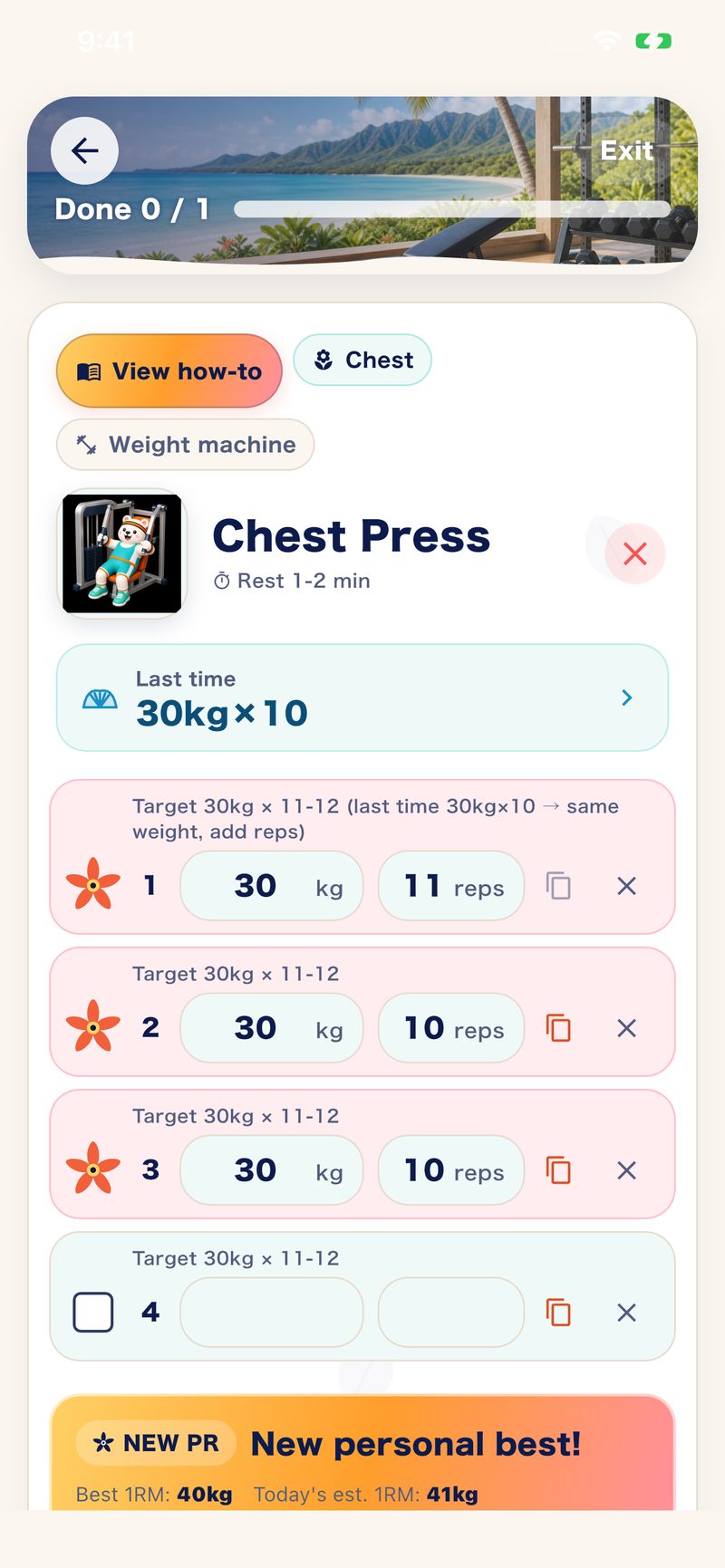
Don't know the machine? Point the camera at its nameplate: Muscle Mate finds the matching exercise and shows you how to use it, with a video and a step-by-step guide. Log the set right there, and next time your last weight is already on screen.
- Free to use
- No ads
- No account
- Stored on your device
New to a machine?Use it without asking.
Even when you don't know a machine's name, a scan shows you how to use it. Point the camera at the nameplate to add that exercise. The videos, step-by-step guides and the workout log are free.
Each guide shows how to use the machine in three steps.
Scanning covers the exercises registered in the app; videos open in YouTube and need a connection.


WALK & RUNSTRENGTH + CARDIO
Lift. Walk. Run.One workout log.
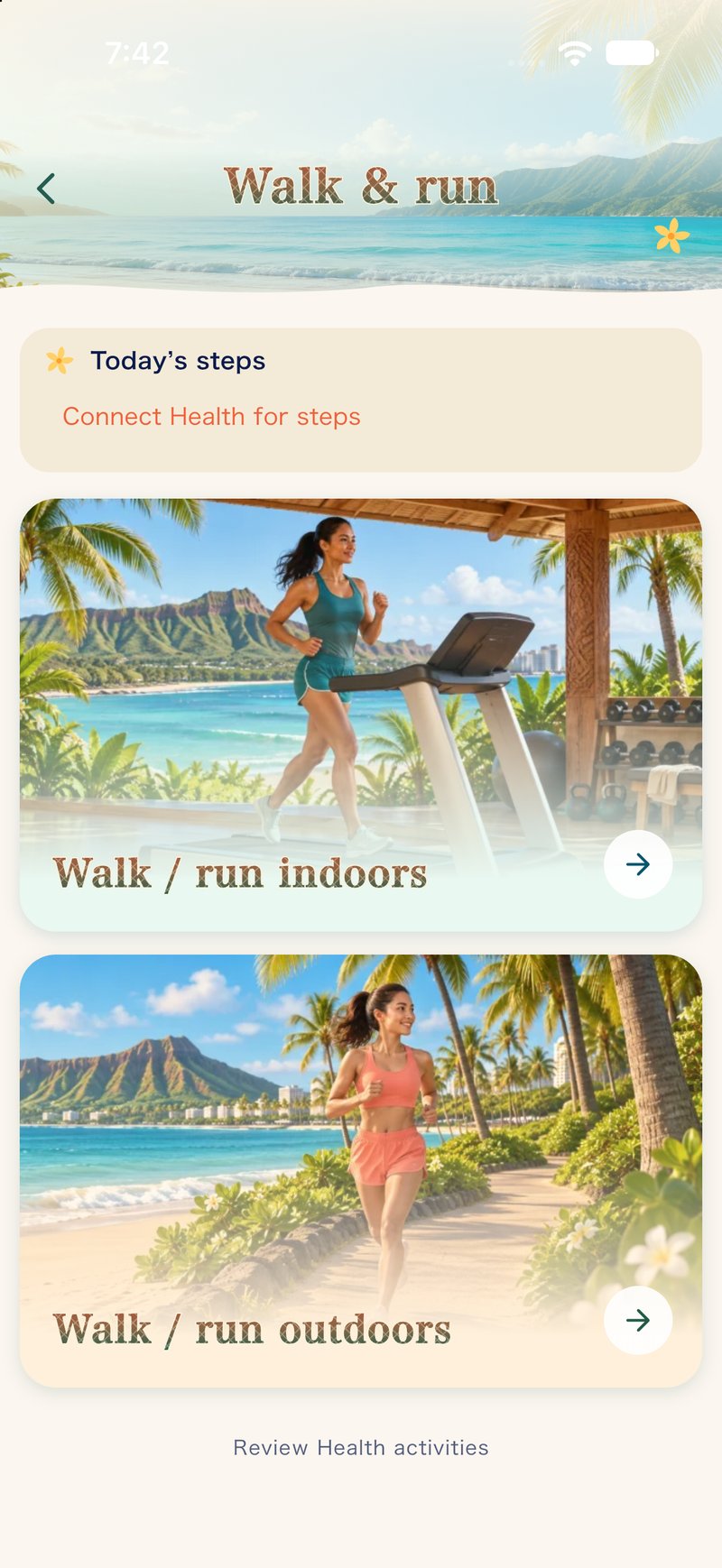
Keep your walks and runs alongside your strength workouts. Log distance, time and average speed on the treadmill or outdoors in Muscle Mate.
- Basic logging is free
- Treadmill display scanning
- GPS for outdoor sessions
The left image is a real iOS 1.4.1 app screen; the right image is a conceptual illustration of scanning a treadmill display. Check Google Play for new-feature availability on Android.

30-second spot
After your workout,Hawaii is waiting.
Free to use. No ads. No account.
These are the moments you stall at the gym.
What stops youisn't your body. It's the doubt.
Last time's weight, today's body part, the minutes you have left. Every "what now?" between sets chips away at your focus.
Yesterday's fatigue and this week's balance are hard to keep track of in your head.
Rebuilding a workout on the spot to fit the time you have is harder than it sounds.
When in doubt, just open Muscle Mate.Then put everything into the set in front of you.
Less time lost at the gym, thanks to the log.
From the moment you log it,the next rep comes into view.
Muscle Mate isn't a notepad that just piles up numbers. Today's log becomes the hint for tomorrow's weight and body part.
Not a memo that ends there. A log that leads to the next action.Right where you enter it, it feeds your review and your next menu.

-
01
Log it
Exercise, weight, reps and sets, entered quickly between sets.
-
02
See it
Not just numbers: today's trained muscles and this week's balance by body part.
-
03
Decide
You notice the parts that got less work, so the next menu is easier to plan.
The more you use it, the more it's yours
It remembers,so you stop second-guessing.
Last time's weight, this week's trained muscles, the history you've built up. Muscle Mate ties the whole training flow together.
No more trying to recall "how much was it last time?"What you've logged becomes the hint for today's weight and the next body part.

- 01It remembers
Exercise, weight, reps and sets stay as your own history.
- 02It points things out
The difference from last time, and which parts got a lot or a little this week.
- 03It makes the next call easier
Pick today's weight and the next body part while looking at what you've built up.

Start the full log, free
Aloha Garden | a new 3D garden
After the workout,
Hawaii in the palm of your hand.
Plants that grow the more you log, changing every month. Trace the screen to stroll a 3D shoreline and hunt for shells. Plants you've raised go into the garden encyclopedia; pearls and shells into the sea chest. Nothing withers when you rest — it's a garden that grows at your pace.
- 01Log a workout
- 02The garden and sea grow
- 03Treasures pile up

Actual app screens
Your hard work,
clearly visible.
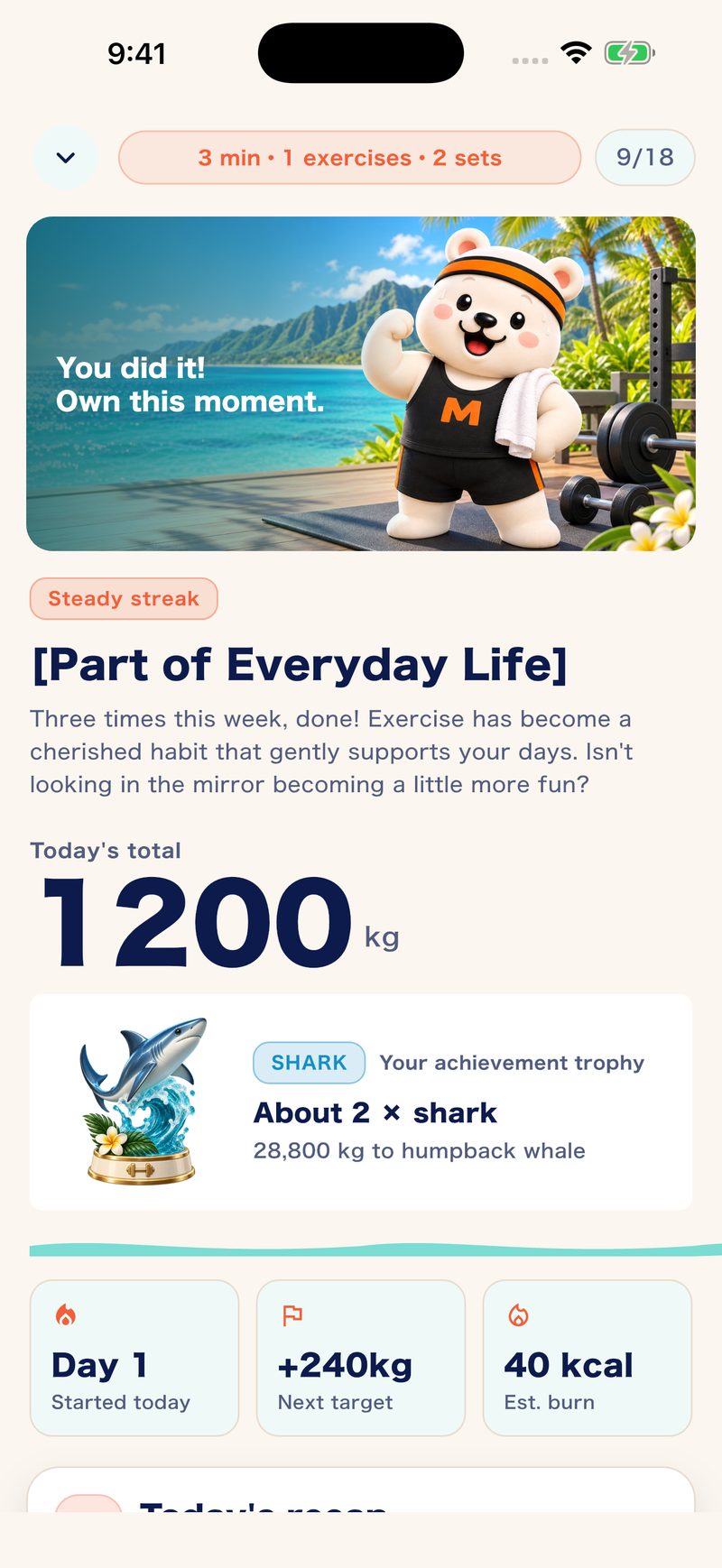
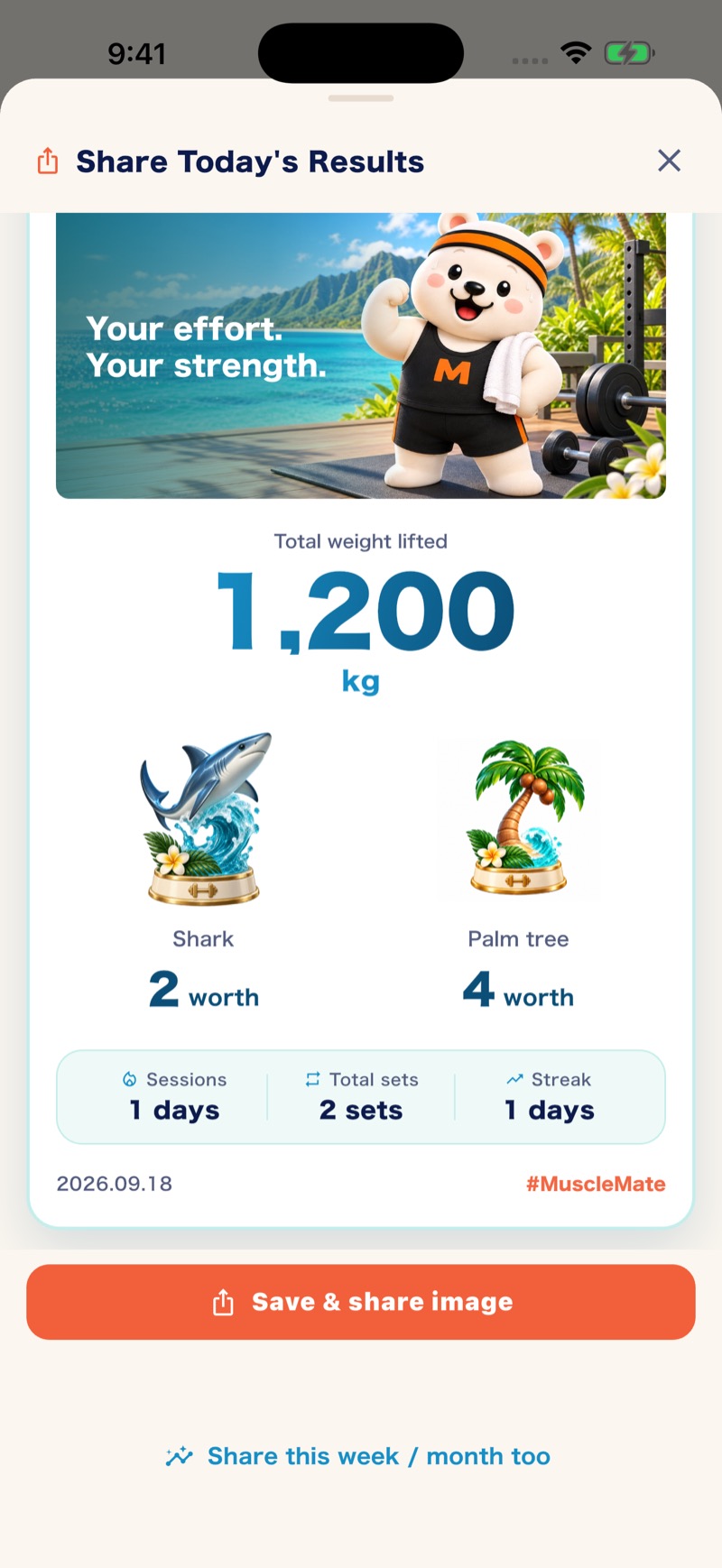
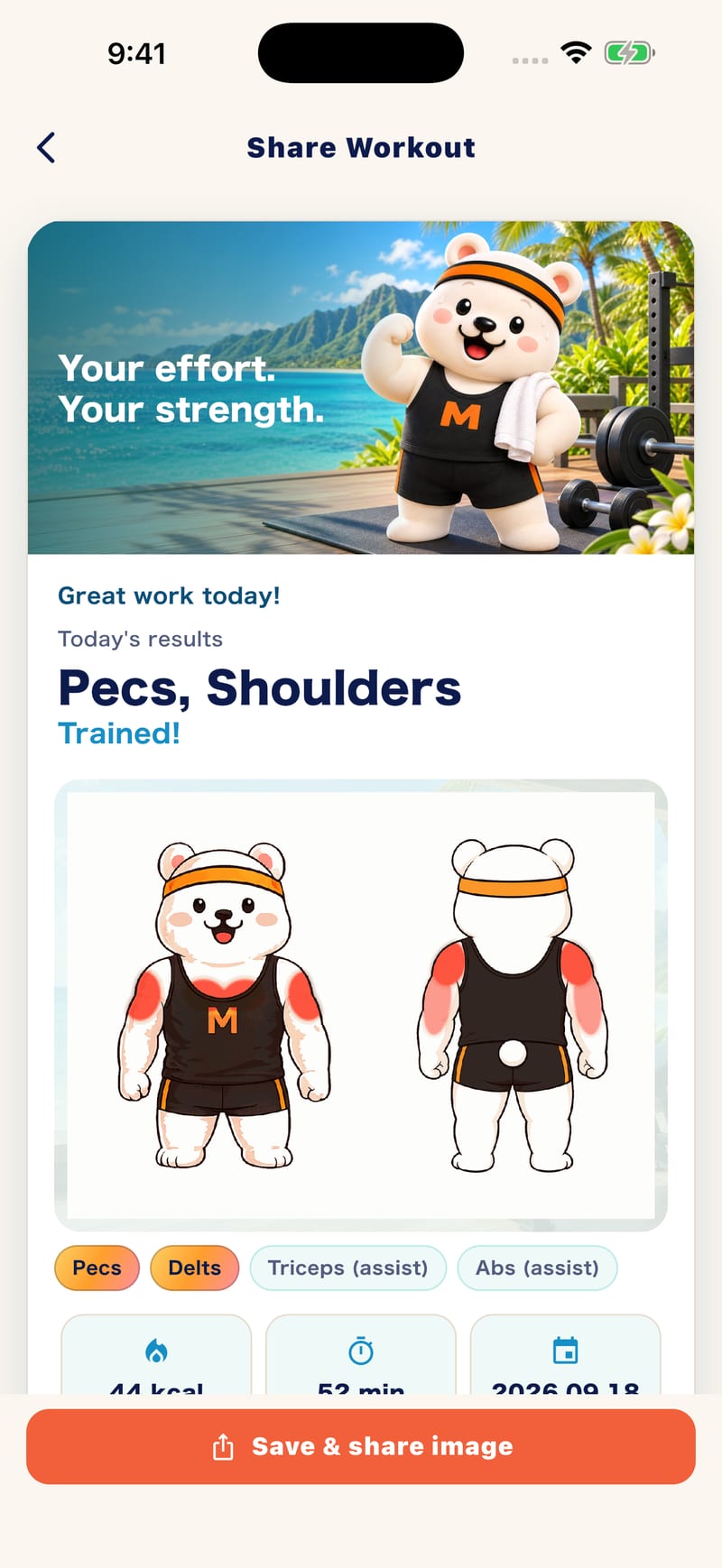
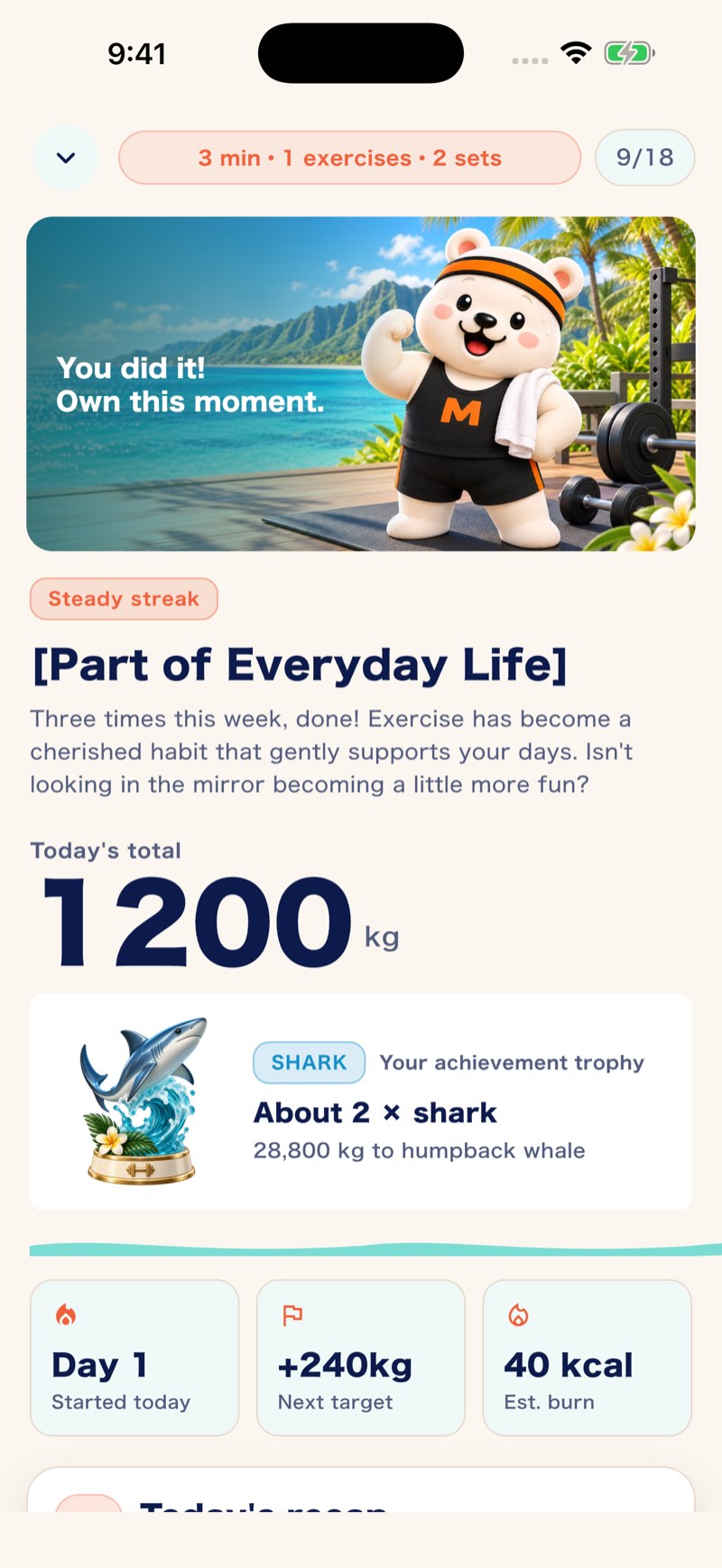
The day's results, sets by exercise, this week's balance by body part. You reach what you need without hunting.
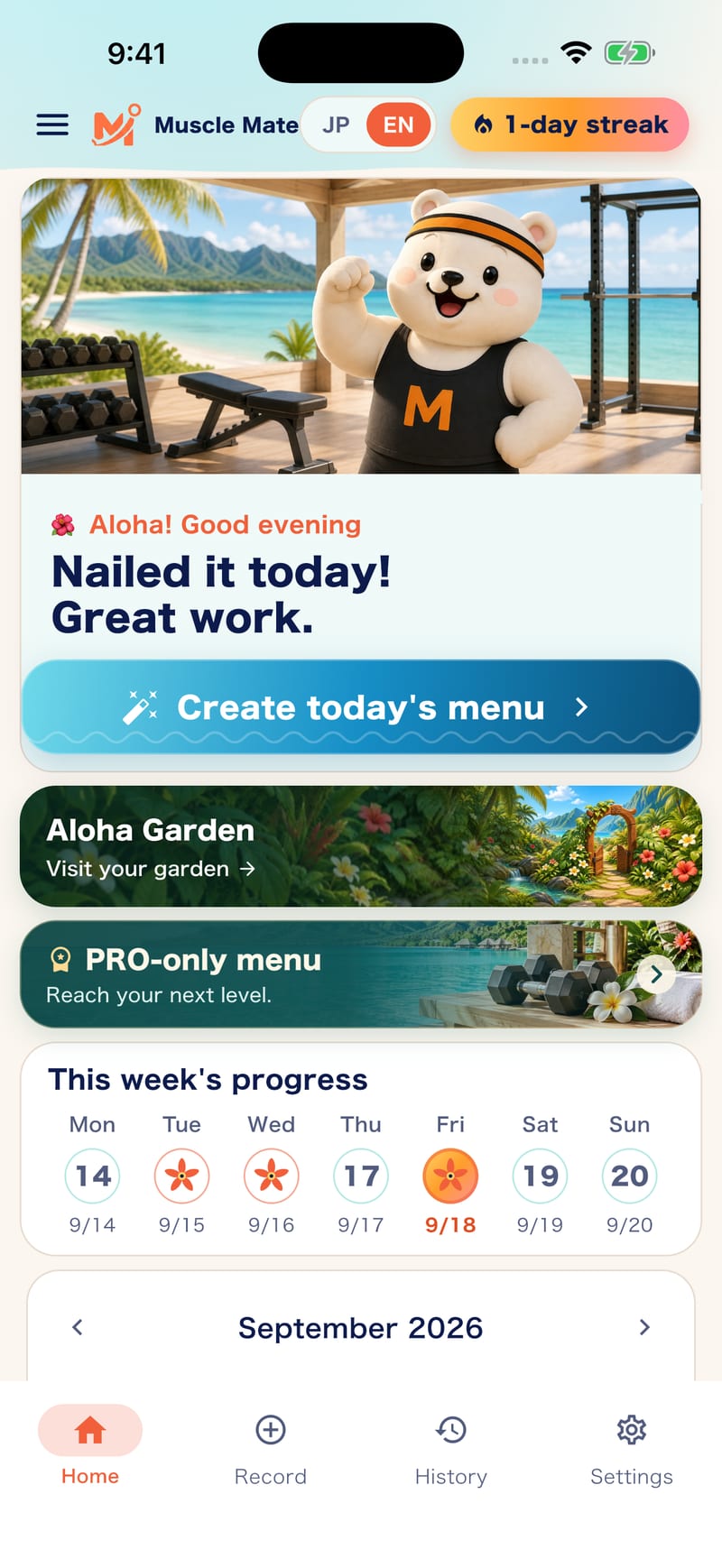
Create today's menu, visit the garden, and see this week's training days at a glance.
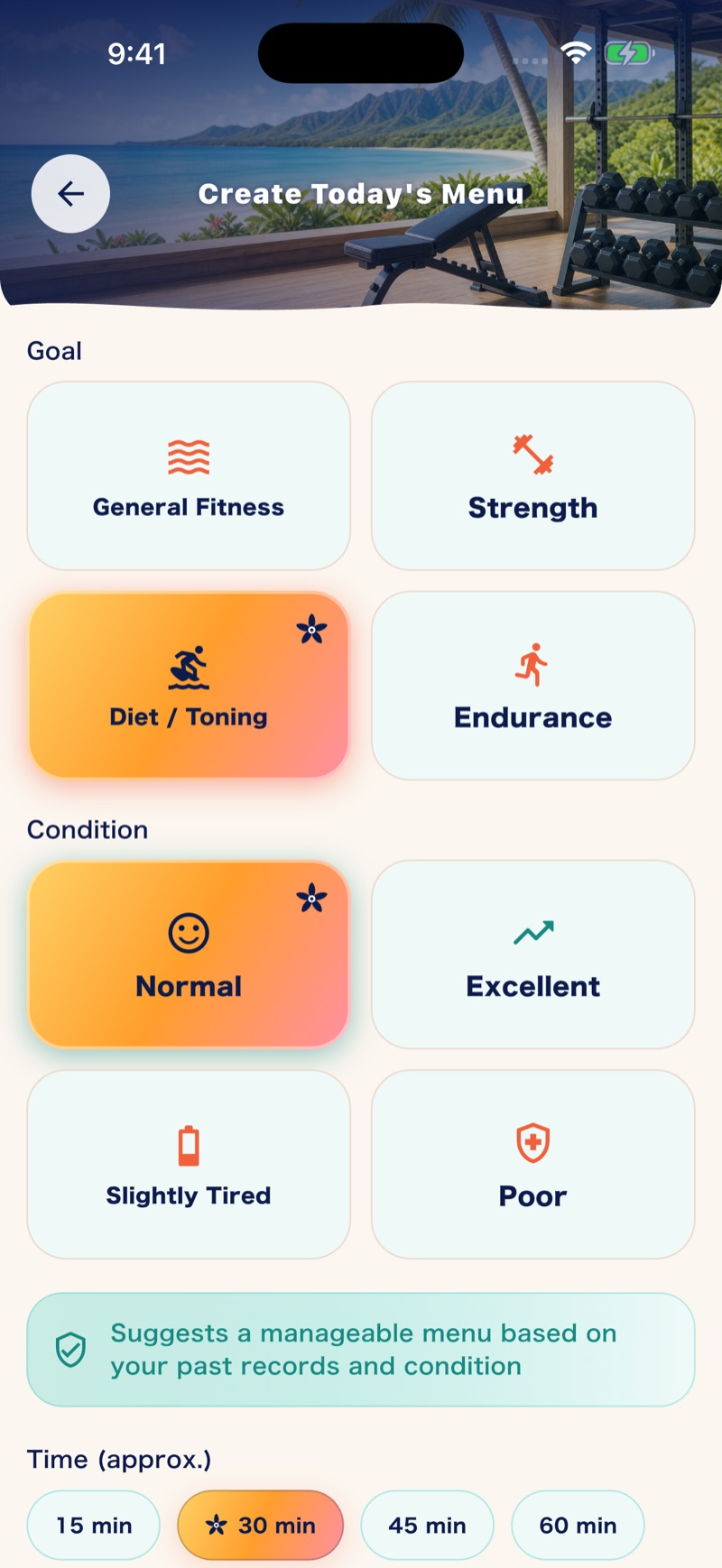
The app suggests today's menu and adjusts it to your condition so it stays doable.
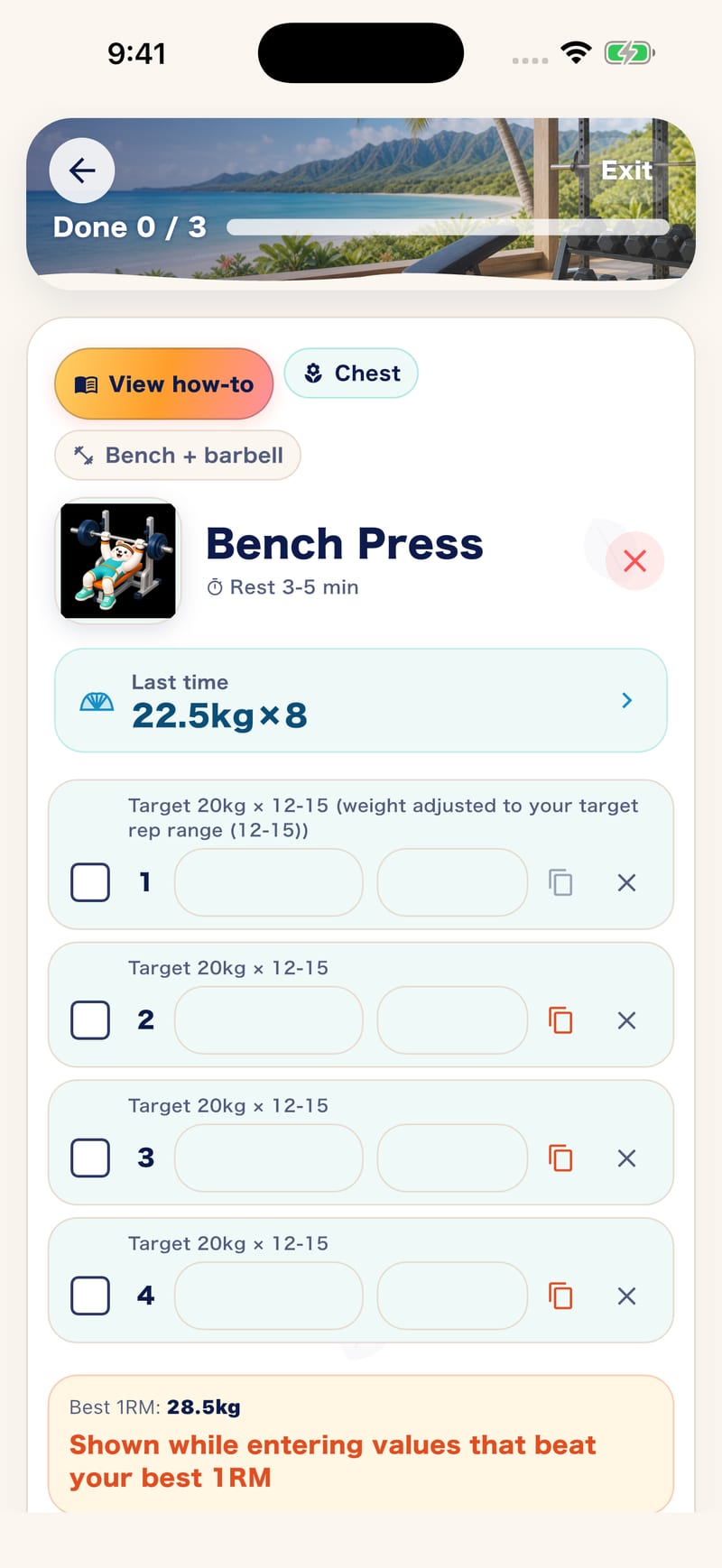
Last time's numbers, a target for each set and a recommended rest, right where you log.
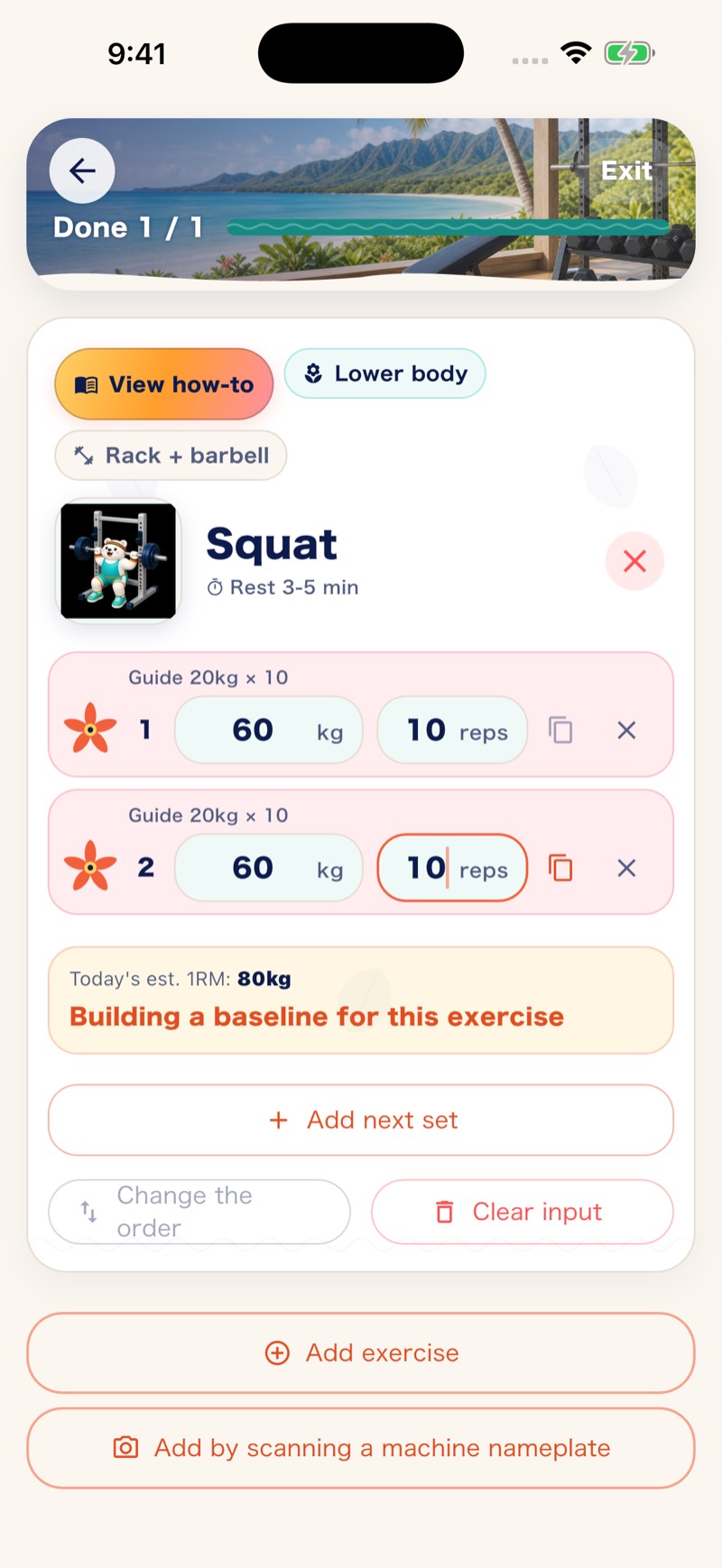
Enter weight and reps on the spot. Duplicate the previous set, and your estimated 1RM updates as you go.
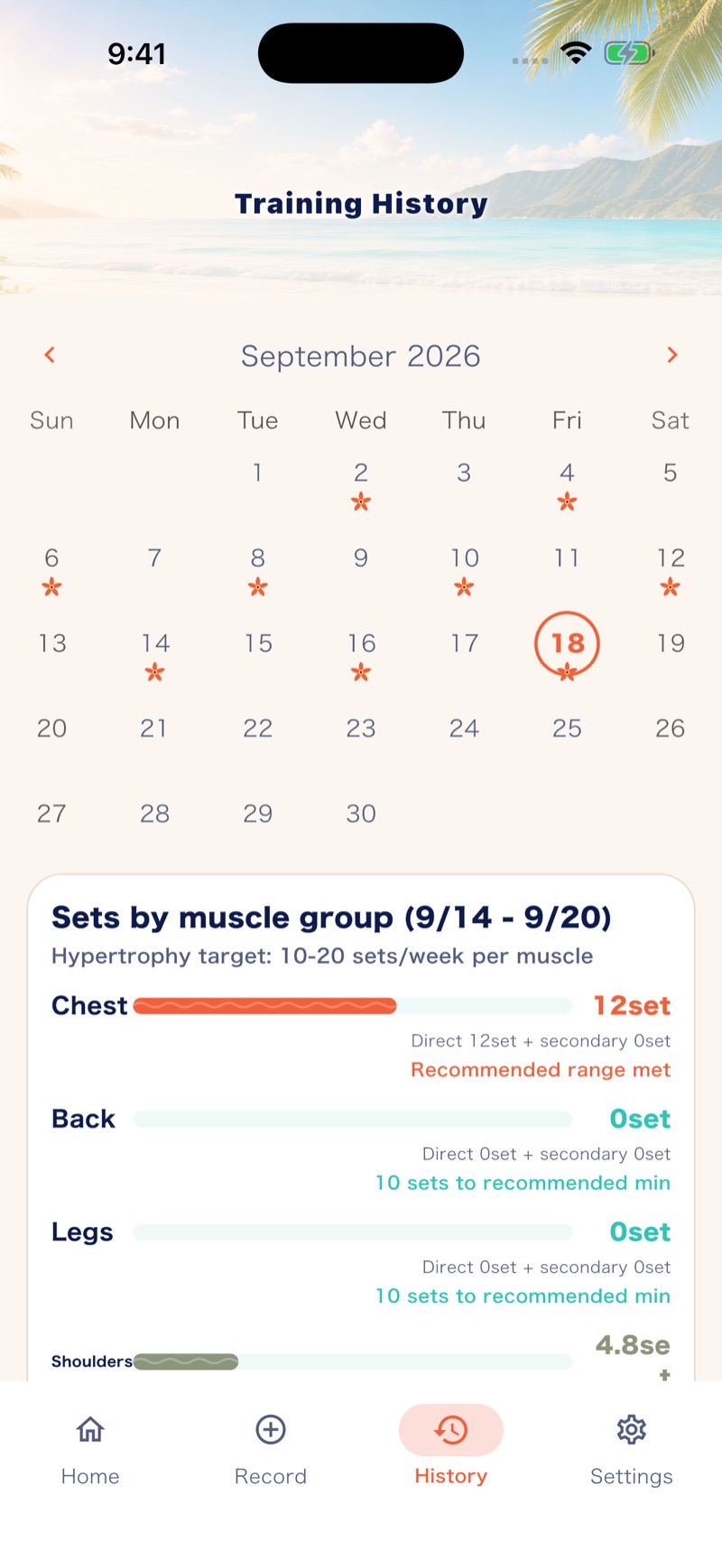
The calendar shows what you've built up; sets by muscle group show this week's balance.
Free to use (some features are paid)
Start free. Go PRO when you need it.
Start with the log.
Want more? There are dedicated programs.
Daily logging and review stay free. Choose PRO only when you need programs built around your time and goals.
Basic plan
Free
Not just a trial: the core features you need for a daily workout log.
- Log exercise, weight, reps and sets
- Last time's weight shown for each exercise
- Today's trained muscles highlighted
- Estimated 1RM updated from your log
- This week's sets by body part, and analysis for the last 4 weeks
- Every record is kept (the free plan looks back over the last 30 days)
- No ads, no account
Programs for your goal
Muscle Mate PRO
On top of the basics, programs built around the time you have and the goal you're chasing.
- Time Fit: a menu built backwards from when you want to finish
- BIG3 strength program based on your estimated 1RM
- Diet program combining strength and cardio
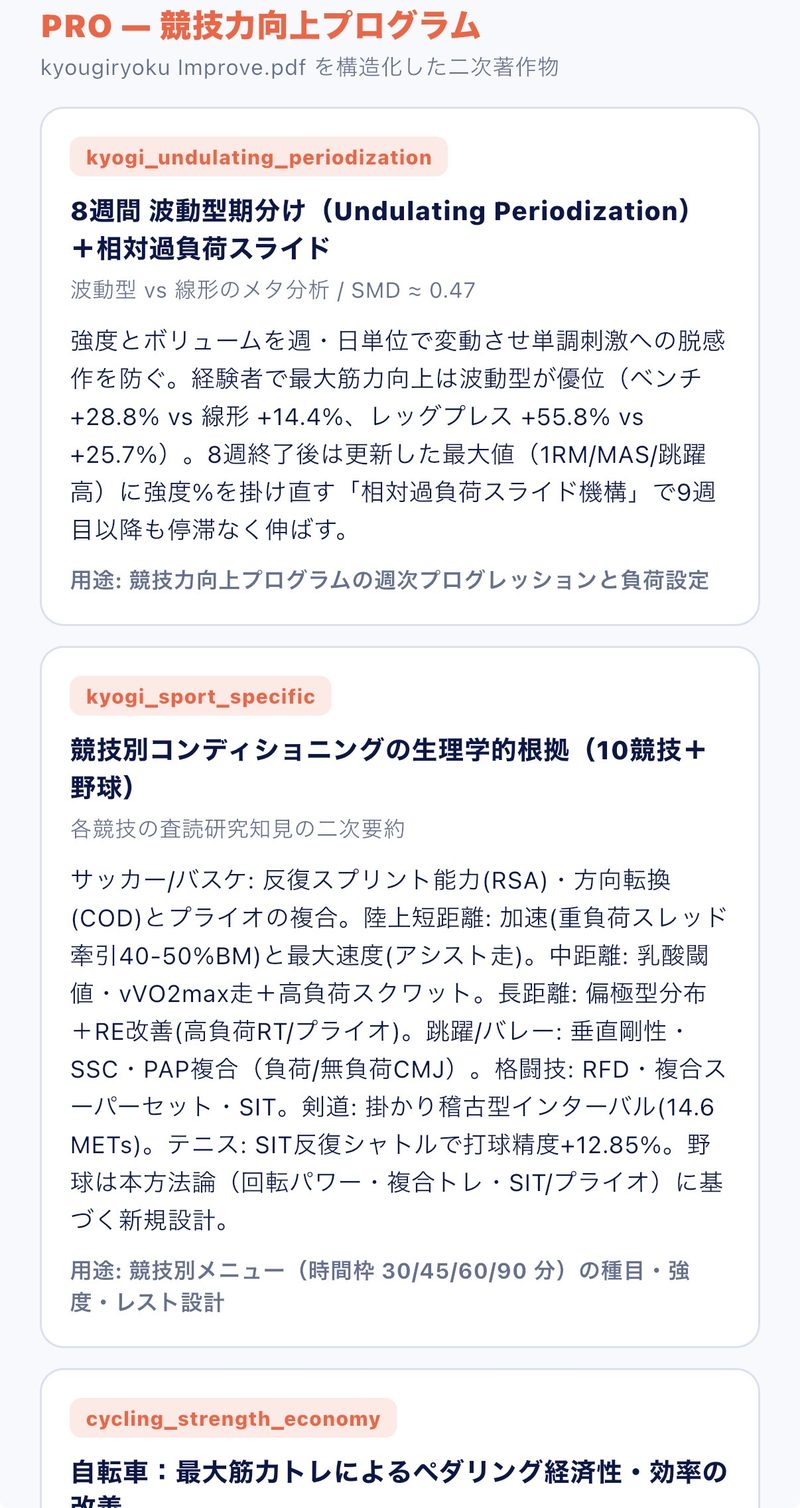
- 8-week conditioning by sport
- Full-body muscle map and more detailed menu suggestions
- Unlimited history and analysis (free: last 30 days of history, last 4 weeks of analysis)
- Backup and restore of your records
Three ways to pay, one PRO
PRO features are the same on every plan. Pick the period and payment style that suits you.
| If you want to… | Plan | Terms |
|---|---|---|
| Try it first | Monthly | Billed monthly. Cancel any time from your store's subscription settings. |
| Keep going for a year | Yearly | The 7-day free trial is available on the yearly plan only. Cancel any time from your store's subscription settings. |
| Use it for the long run | One-time purchase | Pay once and keep using it. No recurring charges. |
Prices are shown in the app's purchase screen for your store and region. Free-trial eligibility is also shown there.
This part is PRO. The basics — logging, last time's weight, estimated 1RM, this week's sets by body part — stay free.
Ways to keep a log
Paper and notes apps
can keep a log too. But.
What matters is whether the log comes back to you for the next rep. Here is an honest side-by-side.
| What you can do | Muscle Mate | Paper notebook | Phone notes |
|---|---|---|---|
| See last time's weight instantly | ◎Shown automatically per exercise | △If you dig for it | △If you dig for it |
| See trained muscles and weekly balance | ◎Sets by body part, tallied automatically | △Tally it yourself | △Tally it yourself |
| Today's menu suggestion | ◎From goal, condition and time | —None | —None |
| Estimated 1RM and tracking progress | ◎Updated from your log | △By hand | △By hand |
| Easy to keep up | ◎Seconds to log, easy to review | △Writing takes effort | ○Quick, but weak for reviewing |
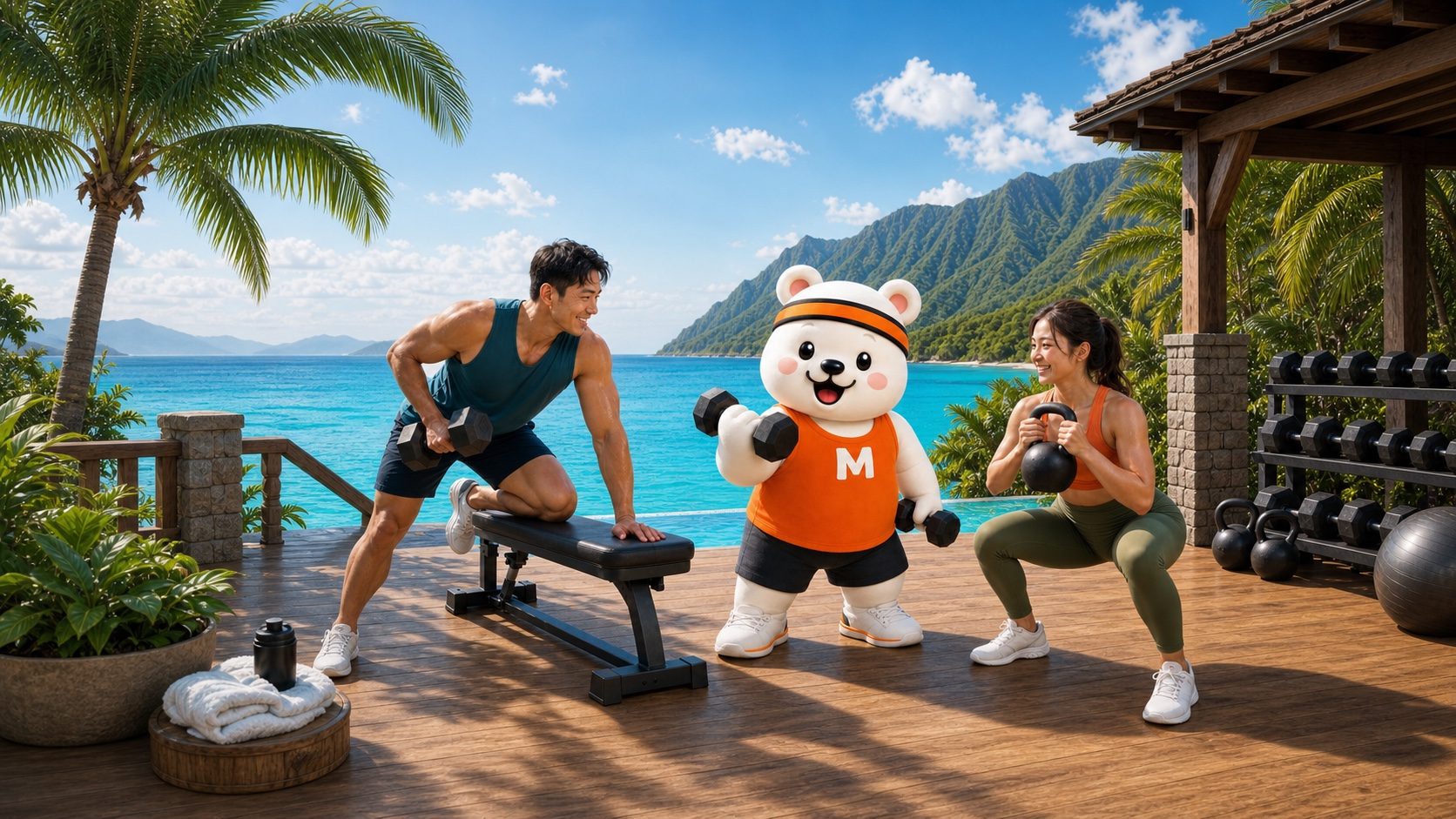
Who it's for, and who it isn't
Is it a fit for you?
Honestly.
It's an app for keeping a log easily, on your own device. Depending on what you value, another service may suit you better.
A good fit if you…
- want last time's weight right awayand decide today's weight from each exercise's history.
- want to notice imbalances in what you trainand see weekly balance on the muscle map (PRO).
- aren't sure where to startand want a menu suggested from your goal, condition and time.
Not a fit if you…
- need cloud sync or sharing data with friends above allRecords are designed to stay on your device.
Free to use (some features are paid)
From people who use it
I kept going.
I stopped second-guessing.
Real reviews from the Japanese App Store, translated from Japanese.
★★★★★
I started using it to stick with training, and it's a really easy app to use. Logging a session is simple, so I can literally see my progress, which keeps me motivated.
The menus are clear, and even as a beginner I never got lost. Being able to check last time's weight and reps lets me raise the load bit by bit and train efficiently.
Even on days I think "maybe I'll skip today," I want to keep the log going, and going to the gym has naturally become a habit. I'd recommend it to anyone from complete beginners to people who want to keep a proper record.
★★★★★
At the gym I always wondered "how much did I lift last time?" — with this app I can check right away.
Logging takes seconds, so there's no friction.
I think it's especially handy for people who want to push their BIG3, or who are busy but want to train efficiently.
Looking forward to future updates.

Who makes it
Built to be used
every day, by its maker.
Muscle Mate
An engineer at a prime-listed infrastructure company, with a bachelor's and master's in science and engineering from Waseda University.
As one more lifter at the gym, he builds his own needs straight into the app: "I want last time's weight right away" and "I want to notice which parts I'm neglecting."
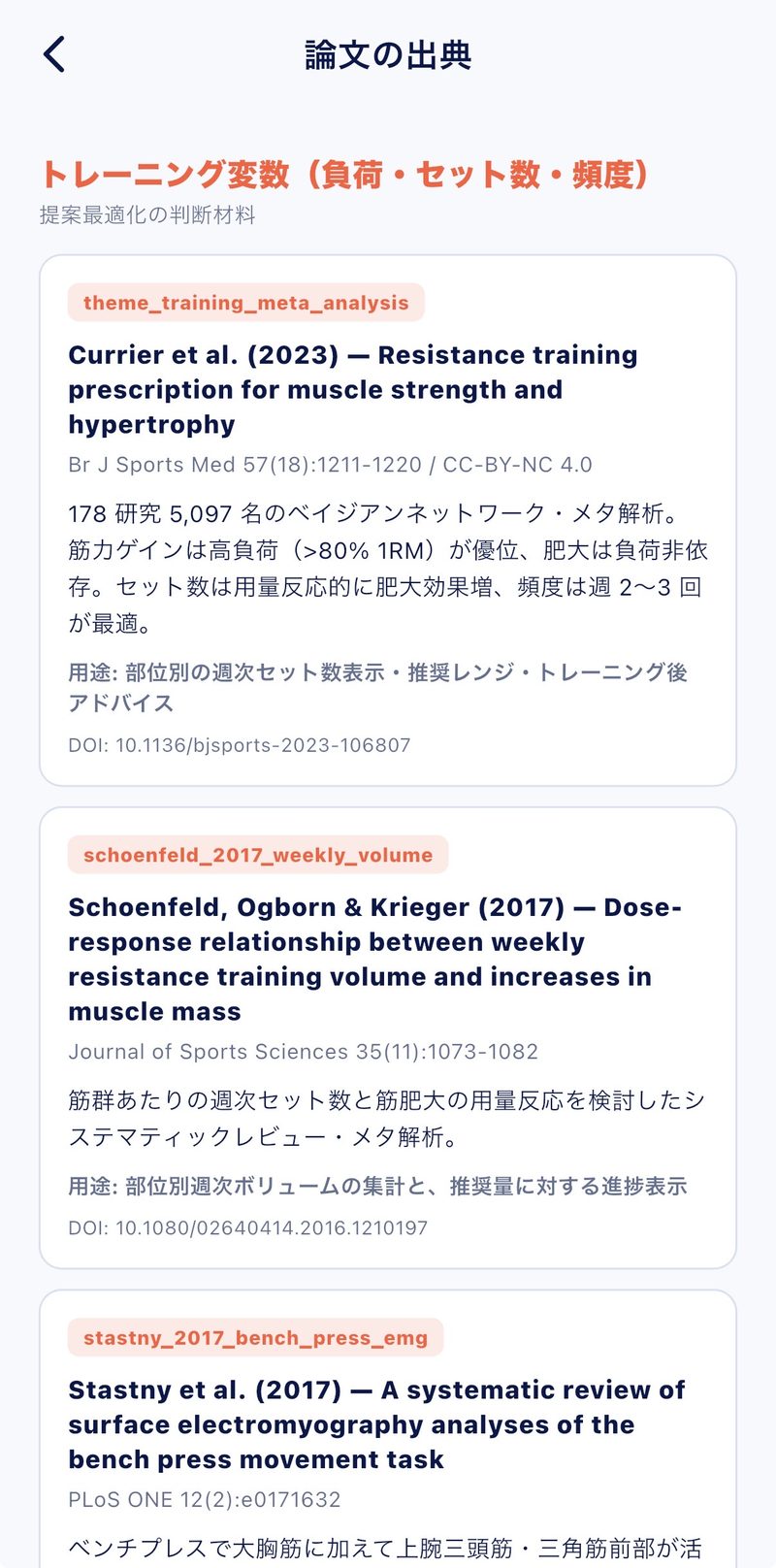
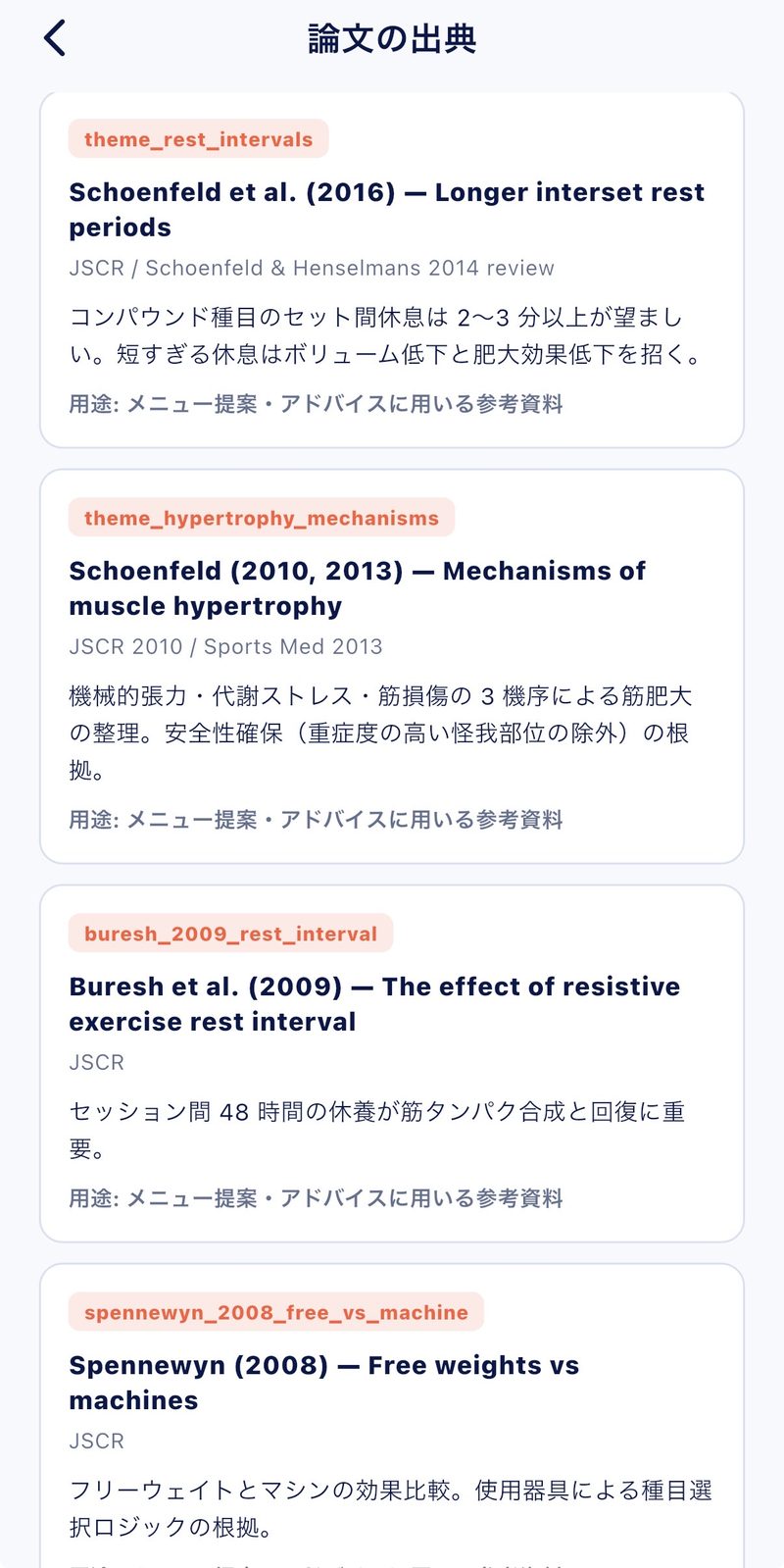
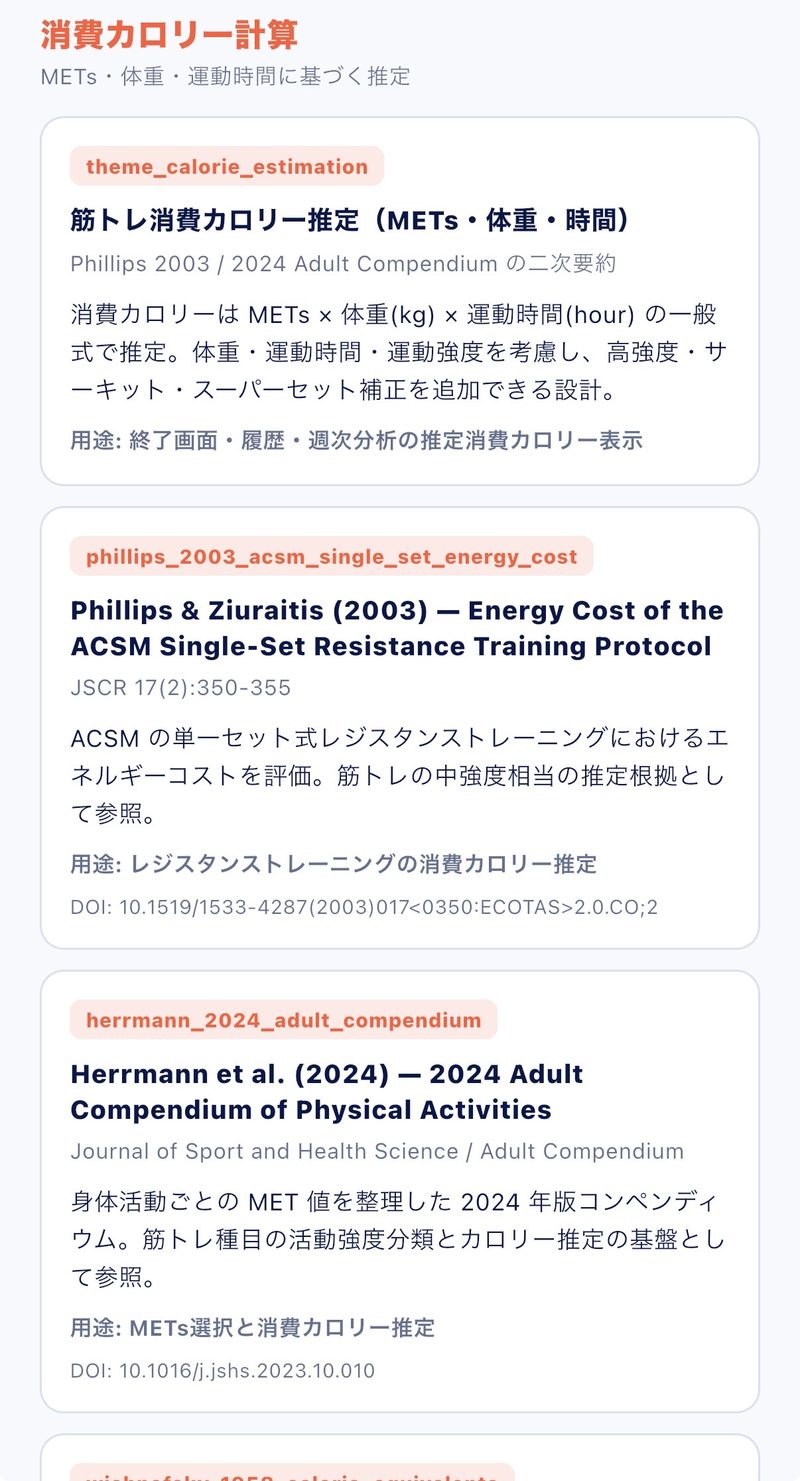
Coming from science, he doesn't add features because they "seem good." The menu suggestions run on a rule engine built on dozens of peer-reviewed papers. Only menus with verified grounds, assembled for each person's goal. That is the core of this app.
The training suggestions in this app are general information, not medical advice. If you feel pain or discomfort, stop exercising and consult a medical professional.
- No adsNothing interrupts you mid-workout.
- No account neededDownload it and start logging right away.
- Your records stay on your deviceTraining data is stored on the device and is not backed up to any external server. You can delete everything at any time.
Go deeper into training
Hard papers,
explained plainly.
Muscle Mate explains the key points of research on training and body composition in words you can actually use in the gym, not just jargon. These channels are currently in Japanese.
YouTube
Short and clear, on video.
The essentials of each paper, with diagrams and concrete examples. Learn about training and body composition on the way to the gym or before a session. (Japanese)
Watch on YouTubenote
In depth, in writing.
From the background of the research to how to think about it in your own training, written to be easy to follow. (Japanese)
Read on note
@musclemateapp
Behind the scenes,
Behind the scenes,
posted daily on X.
The maker himself posts his morning workouts and development progress on X (in Japanese). "I wish it did this" — one message like that could become the next update. Because it's a one-person project, requests reach the developer directly by DM.
Follow on XApp news is announced on X first.
FAQ
Things to know
before you start.
What is Muscle Mate?
Muscle Mate is a workout log app for iOS and Android, available in English and Japanese. Log exercise, weight and reps in seconds and last time's weight appears for each exercise, with today's trained muscles and this week's balance by body part at a glance. A rule engine built on peer-reviewed research suggests today's menu from your goal, condition and time. Free to use, no ads, no account.
Does it cost anything?
It's free to use. The main features — logging, last time's weight, estimated 1RM, this week's sets by body part and basic menu suggestions — are free. The free plan lets you look back over the last 30 days of history and 4 weeks of analysis; older records are kept, not deleted. The full-body muscle map, unlimited history and analysis, Time Fit and backup/restore are part of PRO, available as a one-time purchase or a monthly or yearly subscription. Prices are shown in the app for your store and region.
Are there ads?
No. Nothing interrupts your focus mid-workout.
Do I need an account?
No. Download it and start logging right away.
Where is my workout data stored? Do the video guides need an internet connection?
Your workout data is stored on your device. Video guides open in YouTube and require an internet connection.
Can I move my records to another device?
There is a backup and restore feature (PRO, on-device, via the share sheet). Your data is stored on the device and is never backed up automatically to an external server.
Is it easy to cancel PRO?
Monthly and yearly plans can be cancelled at any time from your store's subscription settings. The one-time purchase has no recurring charge, so there is nothing to cancel.
Is it OK for beginners?
Yes. Start by logging the exercises, weight and reps you did today. The muscles you trained light up on the spot, and the app suggests today's menu. No expert knowledge needed.
What is Time Fit?
A PRO feature that works backwards from the time you want to finish and builds the best menu for the minutes you have, so you're done five minutes early. It has a fixed-time mode and a free mode where you set the finish time on the spot, and it supports body-part selection, full body and BIG3 focus.
What is the BIG3?
The three lifts: bench press, squat and deadlift. They use many muscles at once and are widely used as a measure of strength. Muscle Mate tracks your logs and estimated 1RM for each of them.
Is there a BIG3 strength program?
Yes (PRO). Based on your estimated 1RM, it generates a strength menu — on chest day, a bench press menu with assistance exercises — and you can start logging straight from it.
What is estimated 1RM?
1RM is the most weight you can lift for a single rep (one-rep max). Muscle Mate estimates it from the weight and reps you actually logged and keeps it updated, so you get a sense of your current strength without a max attempt.
What is progressive overload?
Gradually increasing training load — weight, reps, sets — so your muscles keep being challenged to grow. When last time's numbers are right in front of you, aiming for "a little more than last time" gets easier.
What is total volume?
The total weight lifted in a session: the sum of weight × reps across all sets. It's a guide to the day's training volume, and a single number to look back on your effort.
What is the muscle map?
A body figure that colors in which muscles you trained today, based on the exercises you logged (PRO). Viewed by week, it shows at a glance which parts got the most work and which got the least.
What if I don't know a machine's name or how to use it?
Read the machine's name with the camera and it's added as an exercise. Even when you don't know the name, a scan opens the how-to guide (video and step-by-step). This feature is free. Scanning covers exercises registered in the app and may not read every plate depending on the print and lighting. Videos open in YouTube and need a connection.
Is the app available in English?
Yes. Switch any time from the JP/EN button at the top right of Home, or from Settings. Terms, screens and training programs are all in English.
Can I add my own exercises?
Yes. You can add custom exercises: up to 5 on the free plan, unlimited on PRO.
Free tools & guides (Japanese)
Estimate your 1RM from weight and reps.
No max attempt needed: get a sense of your current strength from an everyday set. The calculation runs on your device. The tool pages are currently in Japanese.

From your next workout
Make the log your ally,
and go one more time.
Log today's sets, see this week's balance. With Muscle Mate, carry the momentum all the way to the next rep.
Pricing
- FreeLogging, last time's weight, estimated 1RM, this week's sets by body part and more
- PRO one-time purchasePay once, keep using it
- PRO monthly / yearlyThe yearly plan includes a 7-day free trial
Prices are shown in the app's purchase screen for your store and region.